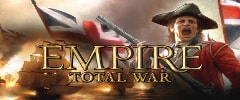

Hey everyone... we're proud to present our first trainer for Empire: Total War!
Full Trainer: Link Full Trainer (Patch #1): Link Full Trainer (Patch #2): Link MEGA Trainer (Patch #2): Link MEGA Trainer (Patch #3): Link
Please note that until the PUBLIC RELEASE DATE OF MAY 19, 2009, each time this trainer is downloaded, it is personalized and encrypted with user specific details. DO NOT SHARE OR UPLOAD THIS TRAINER TO OTHER SITES BEFORE THE PUBLIC RELEASE DATE. DOING SO WILL CAUSE YOUR ACCOUNT TO BE DEACTIVATED WITHOUT REFUND. Please respect the work and support our site if you would like to see us continue making the highest quality trainers and updates.
NOTE: This trainer is compatible with the Cheat Happens Trainer Customizer. You can use this tool to change any of the trainer's hotkeys to any key on your keyboard. Download the customizer here: Link
If anyone has trouble with this trainer, please first check the TRAINER TROUBLESHOOTING GUIDE (www.cheathappens.com/trainer_troubleshooting.asp) before posting questions or comments here.
Please report any issues in this thread so we can track them. New threads created to report problems may be deleted.
Here's the readme on the options:
Numpad 1: 999,999 Gold - press this key to set your Gold to 999,999
Numpad 2: Unlimited Movement - press this key and then immediately click on a unit to increase it's movement. You have about 2 seconds after pressing this option to select a unit. This option works on special units, armies, and ships. May not work on all units.
Numpad 3: 1 Turn Construction - press this key and then select a city and then select the Construction or Infrastructure Tab and then click on the item you wish to affect. You have about 6 seconds after pressing this option to make your selection.
Numpad 4: 1 Turn Recruitment - press this key and then select a city and then select the Recruitment Tab and then click on the unit you wish to affect. You have about 6 seconds after pressing this option to make your selection.
Numpad 5: 1 Turn Research - press the key and then hover over the research item(s) you wish to convert to 1 turn. You will see that any item you hover over will have a research turn time of '0'. Add it to the research queue and they should complete in 1 turn. This option is active for about 6 seconds.
Numpad 0: Delayed Construction - press the key and then click a City and then click the Construction Tab. Any items that were under construction will be delayed for 100 days. This option is active for about 6 seconds.
Numpad 6: Repair Building - press the key and then click a City and you will see that the city is back to 100% health. This option is active for about 6 seconds.
Numpad 7: Damage Building - press the key and then click a City and you will see that the city is severely damaged. This option is active for about 6 seconds.
Numpad 8: Super Unlimited Movement - press this key and then immediately click on a unit to increase it's movement. You have about 2 seconds after pressing this option to select a unit. This option works on special units, armies, and ships. May not work on all units.
Numpad +: Super Ship Turns - this is to be used on the MAP only, not in battles. Press the option and then click on the ship icon on the map. That ship (or group of ships) will have nearly instant turning ability during ship battles (when you are battling other ships in BATTLE mode). Do not confuse this with the MANEOUVERABILITY reading on the ship info. This option is active for about 6 seconds. Again, activate this and use it while on the MAP. The effect will be seen LATER when you are in BATTLES.
Numpad - : Diminished Ship Turns
F1-F6 : Ship Options : see below:
F1: Super Hull - this is to be used on the MAP only, not in battles. Press the option and then click on the ship icon on the map. That ship (or group of ships) will be a lot harder to sink in battles. This option is active for about 6 seconds.
F2: Super Speed Ships - this is to be used on the MAP only, not in battles. Press the option and then click on the ship icon on the map. That ship (or group of ships) will be a lot faster in battles. This option is active for about 6 seconds.
F3: Ship Reload Skill - this is to be used on the MAP only, not in battles. Press the option and then click on the ship icon on the map. That ship (or group of ships) will be a lot faster in reloading in battles. This option is active for about 6 seconds.
F4: Destroy Enemy Ships instantly - this is to be used on the MAP only, not in battles. Press the option and then click on the ship icon on the map. Next you must click on the 'cloaked' picture of the general , then you can select the options to the right of the picture where you can destroy the ship. Do this to all the ships in the group and the ship icon will disappear off of the map.
F5: Repair Ship Guns - this is to be used on the MAP only, not in battles. Press the option and then click on the ship icon on the map. That ship (or group of ships) will have it's guns repaired for the next battle. This option is active for about 6 seconds.
F6: Remove Ship Guns - this is to be used on the MAP only, not in battles. Press the option and then click on the ship icon on the map. That ship (or group of ships) will have it's guns removed for the next battle. This option is active for about 6 seconds. The ship is useless in battle in this mode.
[Edited by PWizard, 3/25/2009 1:54:03 PM]
--------------------------------------------------------------------------- Chris O'Rorke (chris@cheathappens.com) Co-Founder: Cheat Happens.com